
Initiate remote onboarding
Create the remote onboarding session for an individual or sole trader, then keep the link and email evidence with the client record.
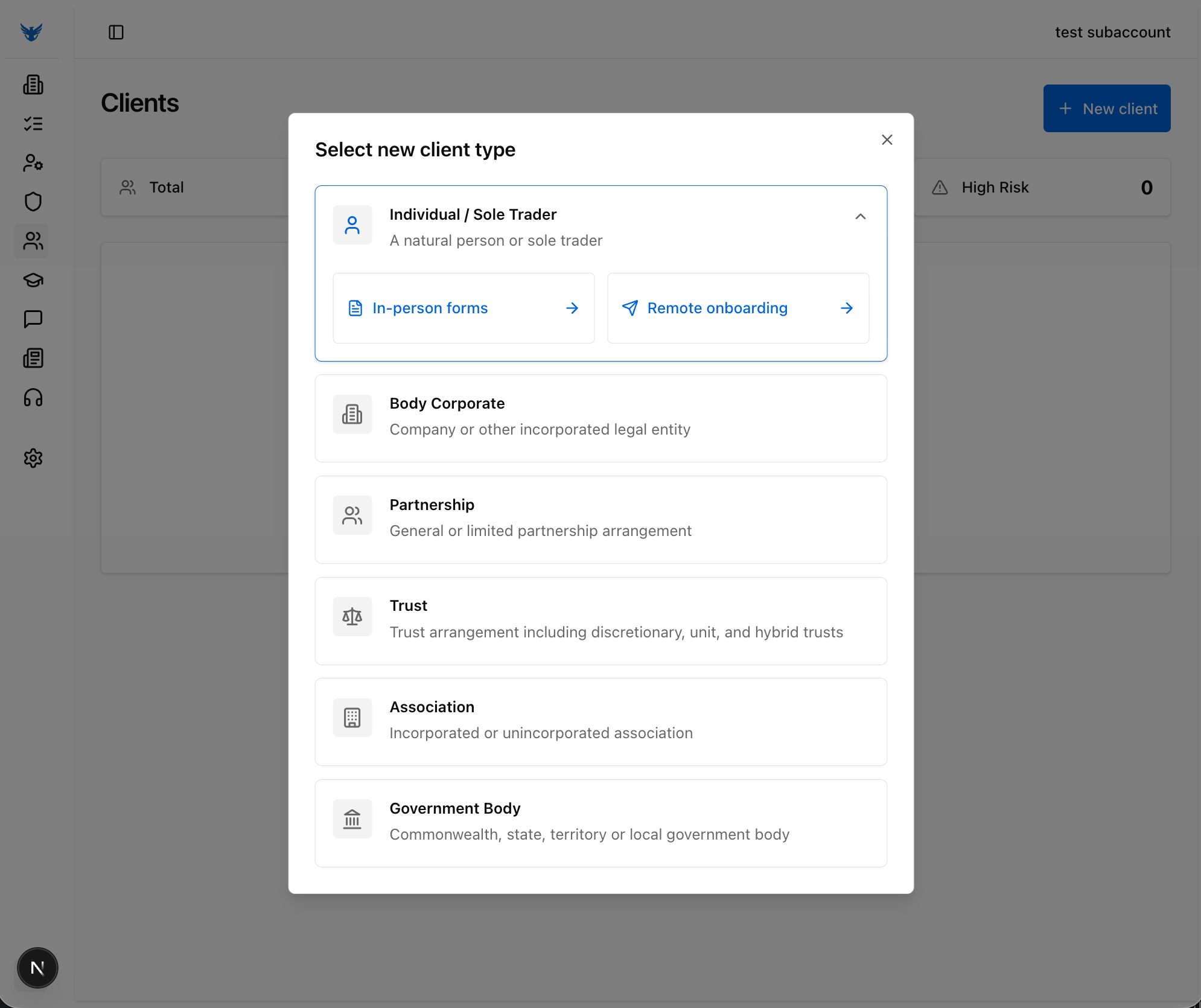
Select an individual or sole trader client and switch into the remote onboarding path.
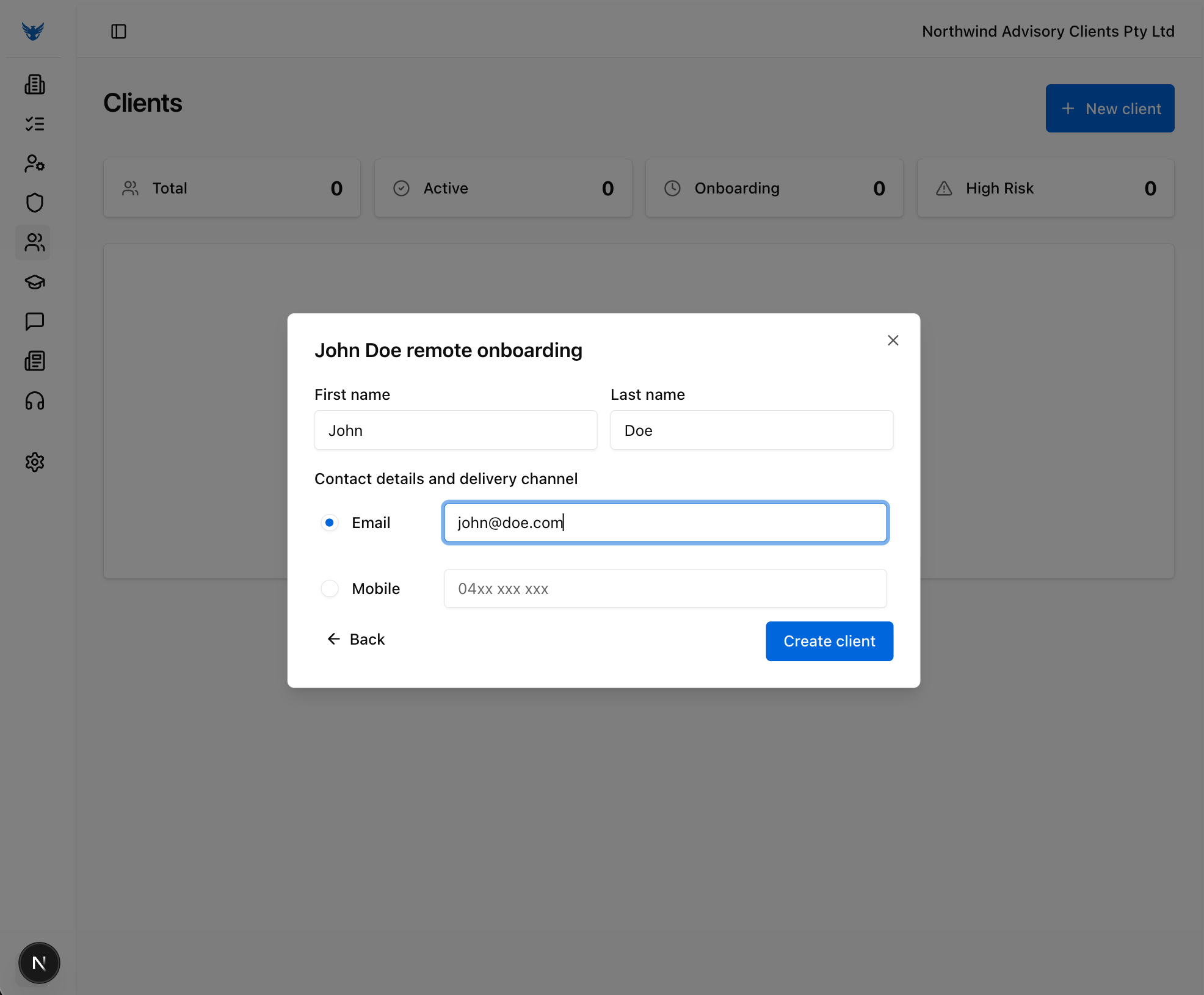
Capture the client name and contact details that will be used for the remote onboarding session.
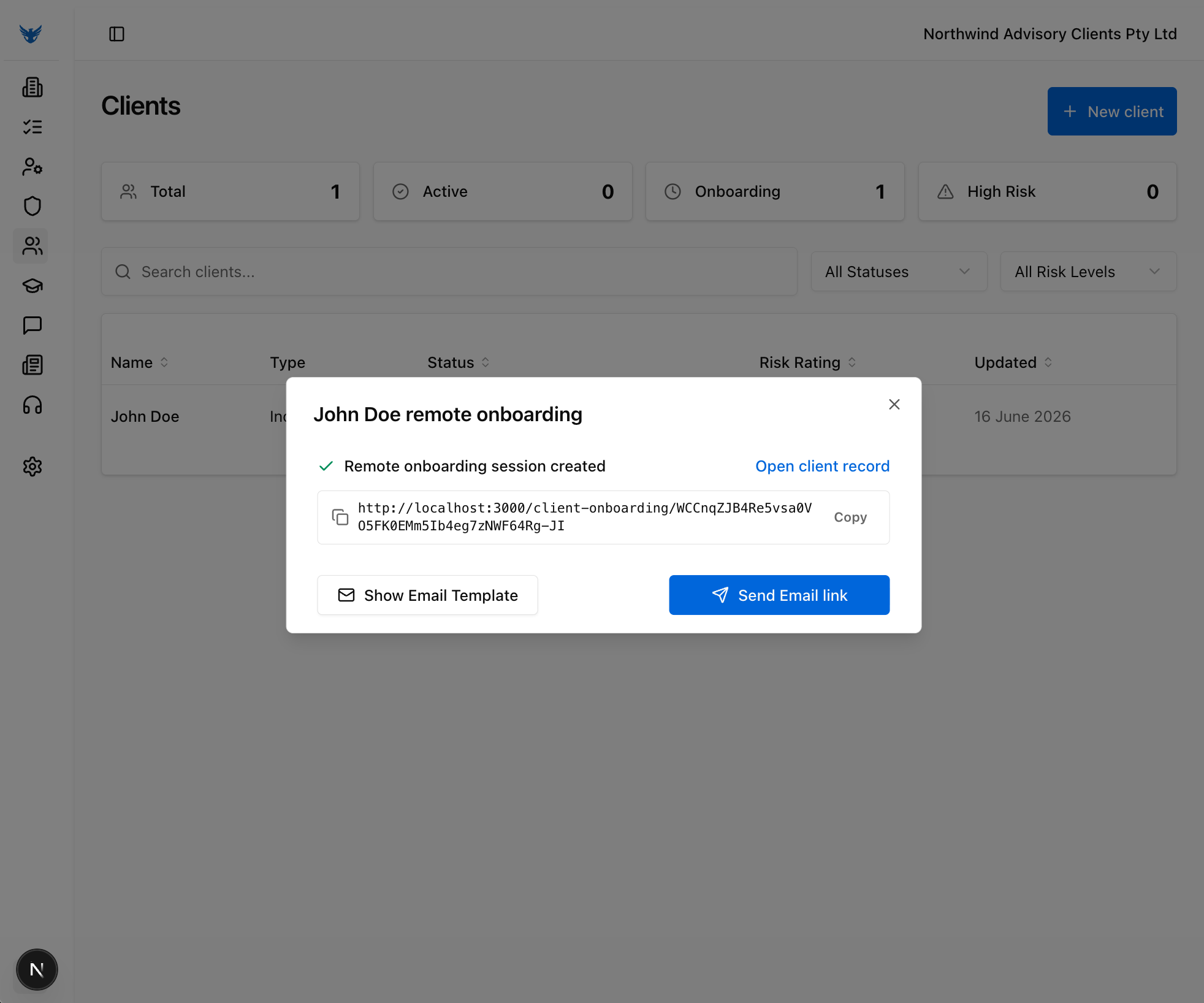
The remote onboarding link is created, and can be sent directly from an @amlshield.com.au, or click Show Email Template for a template email to send from your own email address.
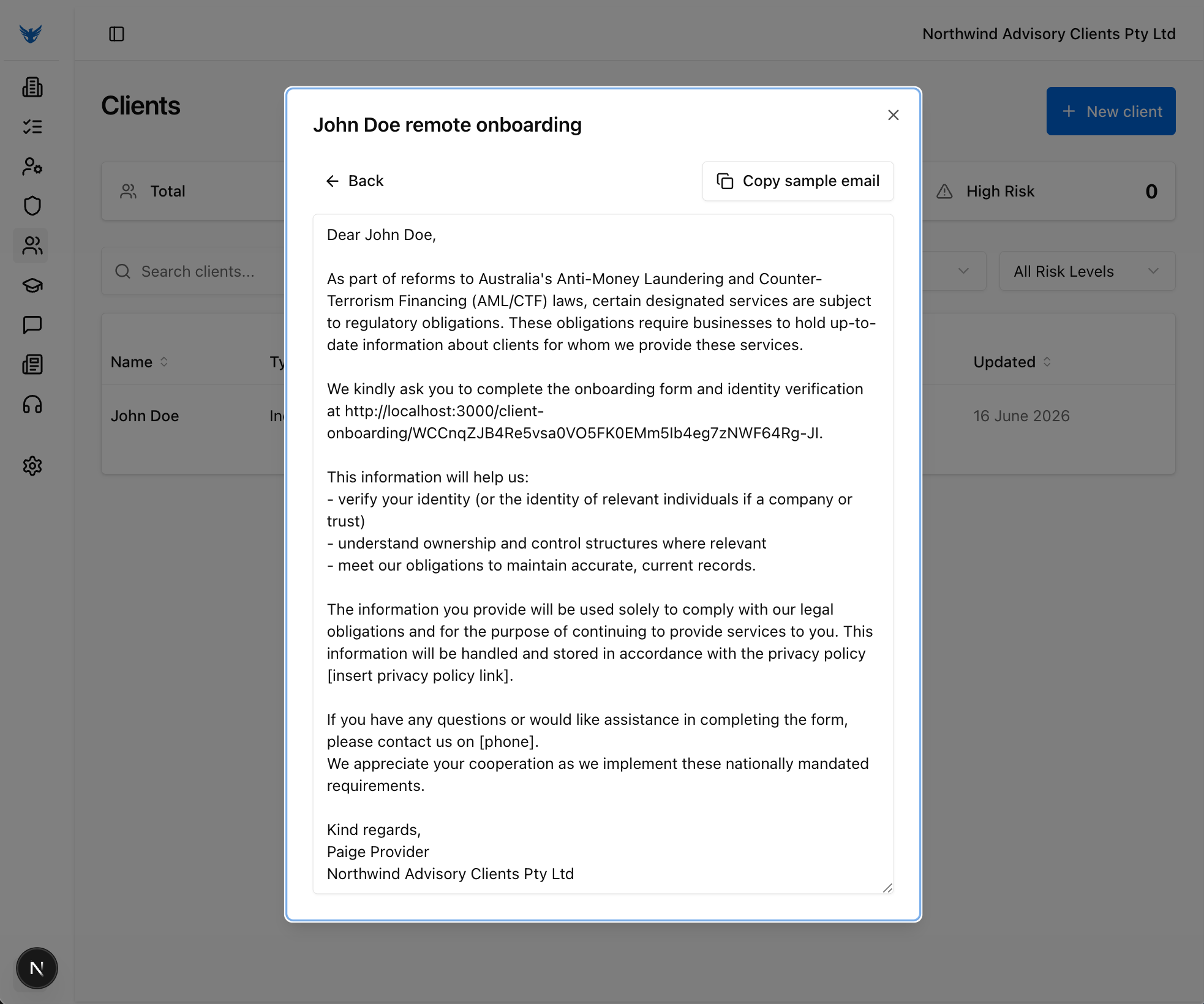
Use the sample email template to send the remote onboarding link to the client from your own email address.
Remote onboarding stays controlled
Remote onboarding works best when the client path, contact details, session link, and email evidence stay together. AML Shield keeps that evidence with the onboarding record while the business remains responsible for the decision to proceed.
- Individual / sole trader path selection.
- Contact details and delivery channel.
- Session creation and link retention.
- Email template or outbound link evidence.
What gets recorded
- Client type selection
- Contact details and delivery channel
- Remote onboarding session link
- Email template or delivery evidence
Why this comes next
Once the remote onboarding session is created, the next chapter shows the mobile onboarding request, verification, questionnaire, and declaration screens.